Webhooks
Send signed events about runs, rankings, uptime, SSL, audits, backlinks, reports and more to your own endpoints.
Webhooks send an HTTPS POST to your server whenever something happens in Serpfull. Manage them in Integrations → Webhooks (owners and admins). For the payload format, headers and verification code, see the Webhooks API reference.
Add an endpoint
- Open Integrations → Webhooks and press Add endpoint.
- Enter a public https URL on port 443. Private, internal, loopback, link-local and cloud metadata addresses are refused (we check every address the host resolves to, when you save and again on every delivery), and redirects aren’t followed.
- Add an optional description, pick the websites it covers (all websites, including future ones, or a chosen few) and tick the events to send.
- Copy the signing secret shown after saving. You can reveal it again from the endpoint card, or rotate it.
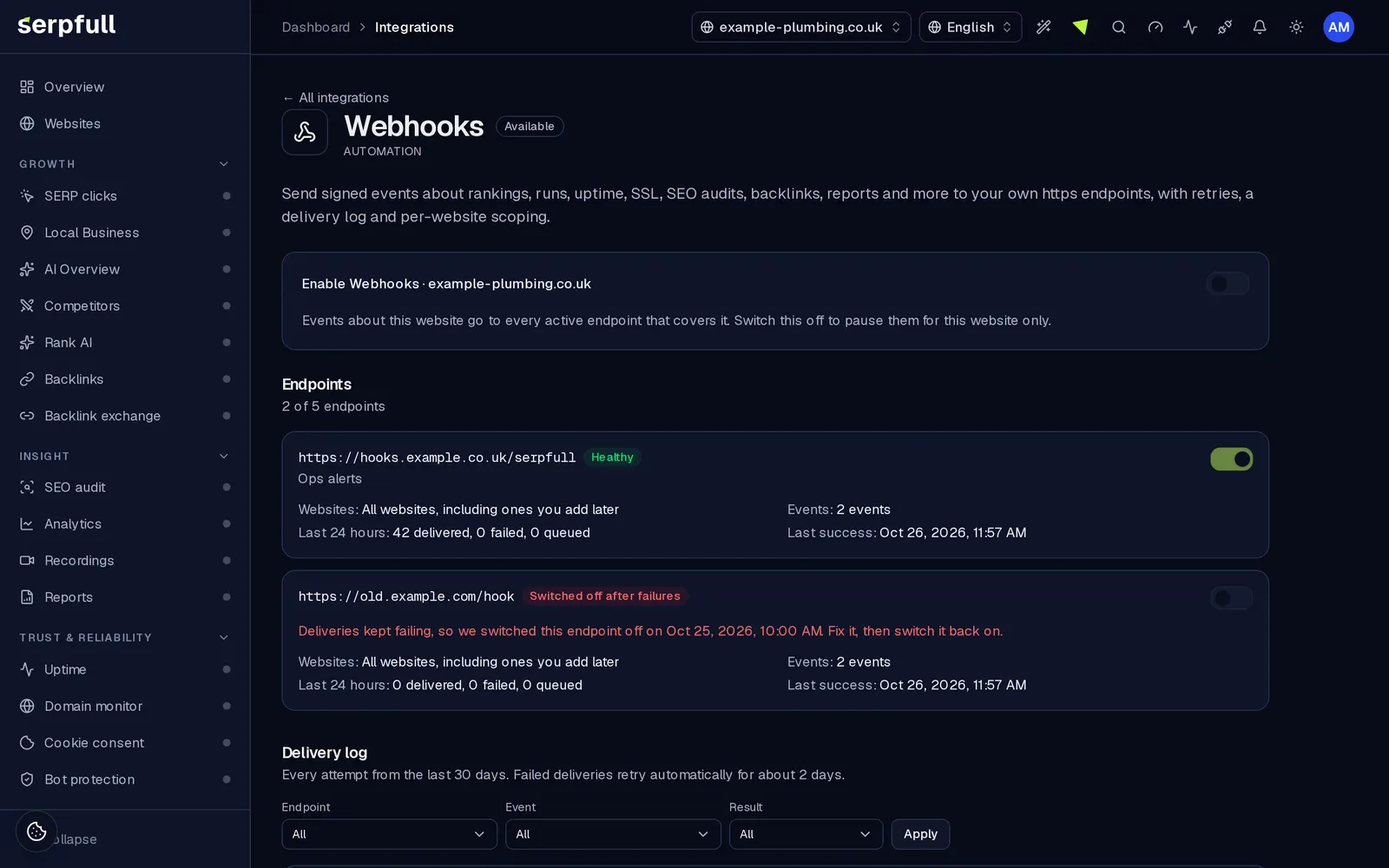
Several endpoints
Add as many endpoints as your plan allows (the best plan across your websites): No plan 2, Starter 3, Growth 5, Scale 10, Pro 25, Enterprise 50. Each one has its own secret, websites and events, and can be switched off without deleting it.
Per website
Events about a website only go to endpoints that cover it. Turning the Webhooks integration off for one website pauses its events everywhere without touching your endpoints. Organisation events (billing) go to every endpoint subscribed to them.
Test, log and redeliver
Send test event queues a test.ping to that endpoint. The delivery log keeps 30 days of attempts with the event, status code or error, duration, attempt number and the request and response bodies (truncated). Filter it by endpoint, event or result, and press Redeliver to send any event again with a fresh set of retries.
Retries and switching off
Reply with any 2xx within 10 seconds. Otherwise we retry after 1 minute, 5 minutes, 30 minutes, 2 hours, 6 hours, 12 hours and 24 hours (8 attempts, about 45 hours). Reply 410 Gone to stop retrying that event. If an endpoint keeps failing for 3 days (and at least 10 attempts in a row), we switch it off, drop its queued events and notify your team in the app. The Webhooks integration then shows Needs attention. Fix the receiver and switch the endpoint back on.
Rotating the secret
Rotate secret gives you a new secret straight away. For the next 24 hours every request is signed with both the new and the old secret (two v1 values), so you can update your receiver without dropping events.
From an assistant
The AI connector has webhooks_list_endpoints, webhooks_create_endpoint, webhooks_update_endpoint, webhooks_delete_endpoint, webhooks_send_test, webhooks_list_deliveries and webhooks_redeliver. Secrets are only shown in the dashboard.
Opdateret