Cookie consent banner, scanner and policy
Install the banner, hold back tracking until visitors agree, scan for cookies and keep proof of consent.
Cookie consent works on the website picked in the header switcher, and only on verified websites. Open Dashboard → Cookie consent, copy the snippet, add it to your site and switch the banner on.
Install
Paste <script src="https://serpfull.com/c/v1.js" data-site="YOUR_SITE_KEY"></script> as the first script inside <head> on every page, before any tags it should control. The script is about 6 KB compressed, draws the banner in its own isolated layer so your page doesn't move, and talks to no one but us. It remembers the visitor's choice in a first-party cookie called sf_consent.
Holding back scripts
- Automatic: common analytics, advertising, social and chat scripts are recognised and held until the visitor allows their category. Scripts on your cookie list are held too.
- Manual: change a script's type to text/plain and add data-category with preferences, analytics or marketing. It runs as soon as that category is allowed. Iframes can use data-category with data-src instead of src.
- Consent signals: with signals switched on, tags that understand consent get a default of denied (granted for visitors outside opt-in regions where you chose a notice) and an update when the visitor chooses, so they load straight away and adjust what they collect.
- If a visitor withdraws a category that was allowed, the page reloads so scripts that already ran stop.
Rules by region
Visitors in the UK, EU, EEA and Switzerland, and visitors whose country can't be determined, always get an opt-in banner: nothing optional runs until they choose, and Reject all is as prominent as Accept all. Everywhere else you can show the same banner, a notice where optional cookies are on until the visitor opts out, or nothing. Browsers that send a Global Privacy Control signal are treated as having rejected marketing, and the banner says so.
Design and wording
Cookie consent → Banner has a live preview of the real banner on desktop and mobile. Choose a bar, a corner box or a pop-up, colours, a hosted font, corner radius and where the floating settings button sits. Wording is built in for English, French, German, Spanish, Italian and Dutch, matched to the visitor's browser, and every line can be changed per language.
Cookie scanner
A scan crawls your pages, records the cookies your server sets, and recognises known scripts and embeds along with the cookies they set in visitors' browsers. New items are added to your list; your own categories and descriptions are kept on later scans. Anything we can't classify is marked so you can choose its category. Cookies set only after a visitor logs in or adds to a basket may not be found, so add those yourself.
Cookie policy
Your policy is generated from the cookie list. Embed it with <div id="serpfull-cookie-policy"></div> and <script src="https://serpfull.com/c/policy.js" data-site="YOUR_SITE_KEY" async></script>, or link to the hosted copy at serpfull.com/c/policy/YOUR_SITE_KEY. The banner links to the hosted copy unless you set your own link.
Proof of consent
Every choice is logged with an anonymous consent id (also kept in the visitor's cookie), the policy version, what was allowed, the page, region rule and country. IP addresses are shortened (the last part removed) and hashed with a secret unique to your website before they're stored. Download the log as CSV from Cookie consent → Consent log. After you change your cookies or policy, use Ask everyone again: the policy version goes up and every visitor sees the banner on their next visit.
In your own code
- window.serpfullConsent.has("analytics") returns whether a category is allowed; .get() returns the full choice.
- window.serpfullConsent.on(fn) and the serpfull:consent event on window fire whenever the choice changes.
- window.serpfullConsent.open() opens the preferences; any element with data-serpfull-consent-open does the same when clicked.
- Our own analytics and session recordings wait for consent to analytics when the banner is on the page.
Limits
- Pages per scan: Starter 50, Growth 150, Scale 500, Pro 3,000, Enterprise 5,000.
- Scans per month: 4, 10, 30, 60, 100 and 300.
- Consent records per month: Starter 25,000, Growth 100,000, Scale 300,000, Pro 3 million, Enterprise 10 million. Above that the banner keeps working and choices are still counted, but individual records pause until next month.
- Consent records kept: 1, 2, 3, 5, 5 and 7 years.
- Removing the Serpfull credit: every plan.
Elsewhere
Reports have a Cookie consent section with banner views, accept and reject rates and your cookie list by category.
Take the guided tour
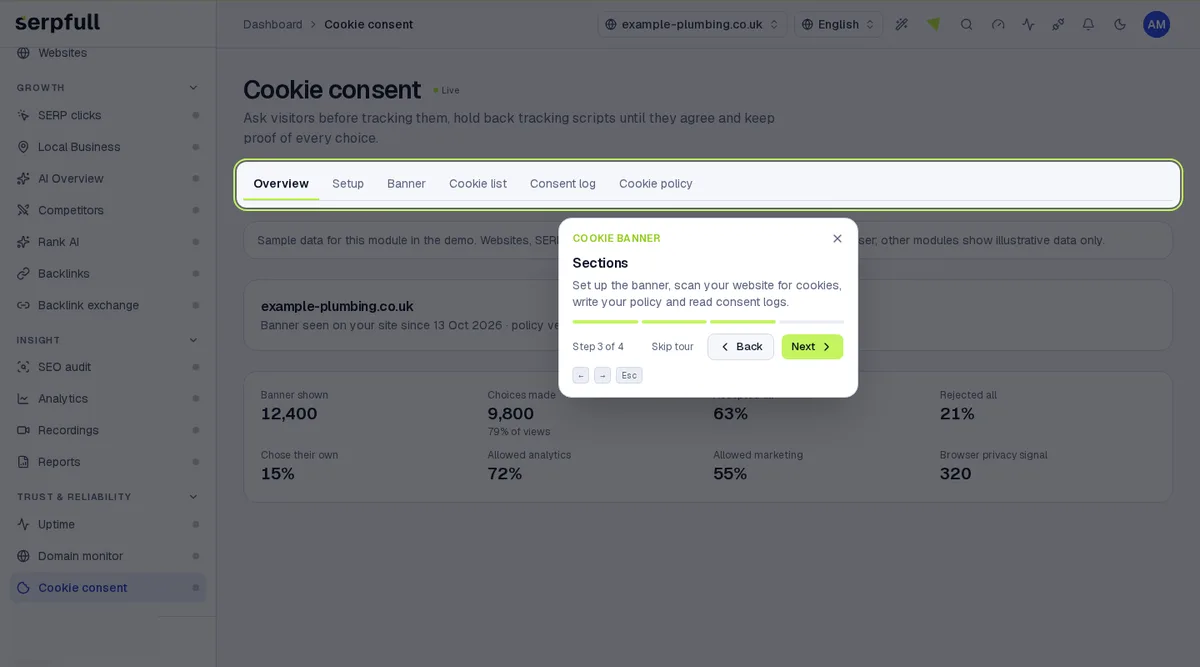
In the dashboard, click the wand icon in the header and choose “Cookie banner”, or pick “Tour this page” while you’re on it. The tour highlights each part of the page step by step.
Uppdaterad