Act on every change, automatically.
Build automations on a visual canvas: when a ranking drops, a site goes down or an audit score falls, adjust clicks, alert your team, open a task or ask for approval first.
Kort sagt
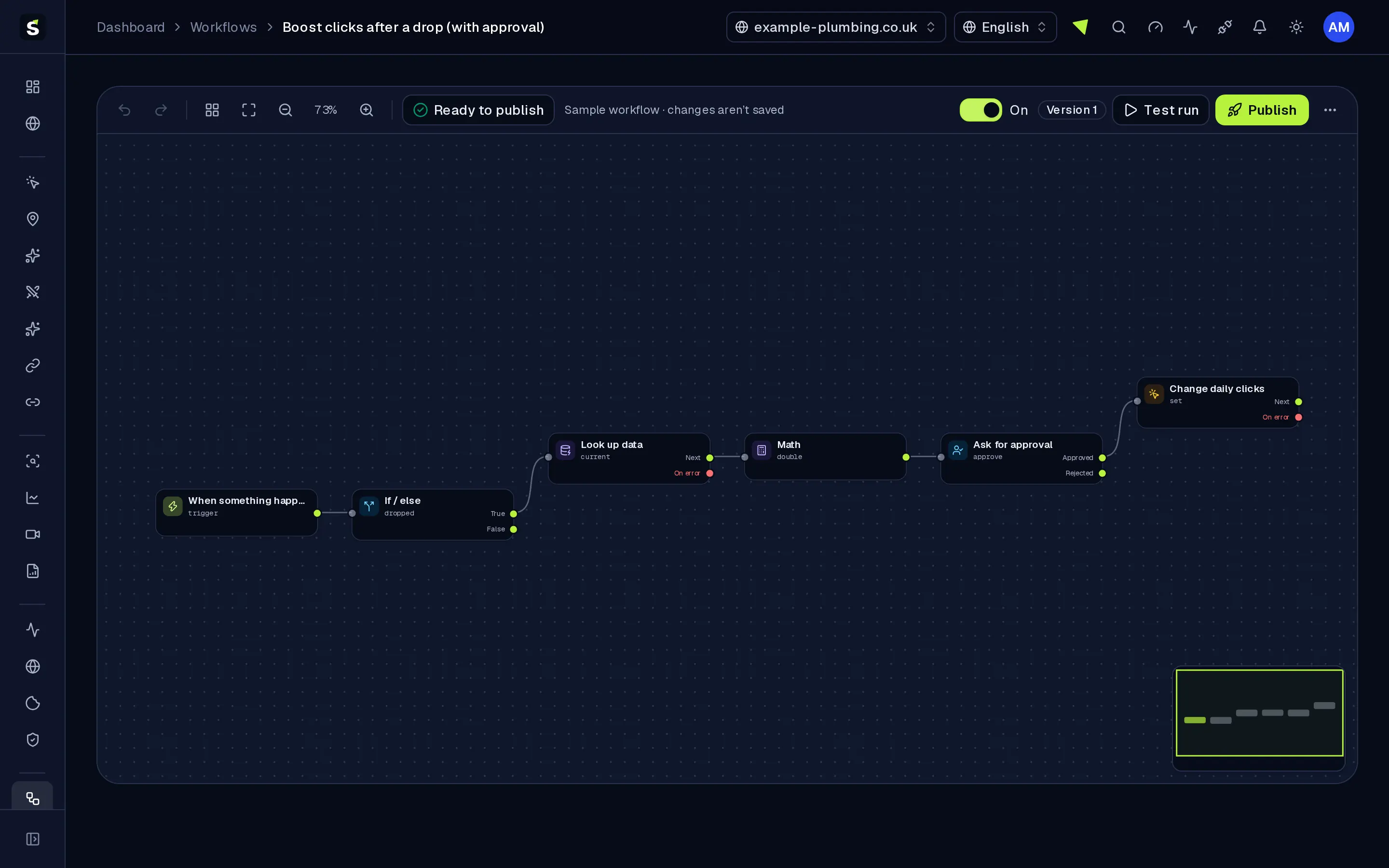
Workflows is a visual automation builder for each website. Start a workflow from a schedule, any Serpfull event (ranking changes, uptime, SEO audits, AI Overview, backlinks, analytics, billing and more), a signed incoming webhook, an API call or a manual run. Add conditions, loops, delays, approvals and AI steps, then act in your modules: add or pause search terms, change daily clicks, run audits and checks, send reports, notify members, post to team chat or call your own systems. Every run is logged step by step with inputs, outputs, timings and errors.
Why Workflows
How it works
From setup to results, step by step
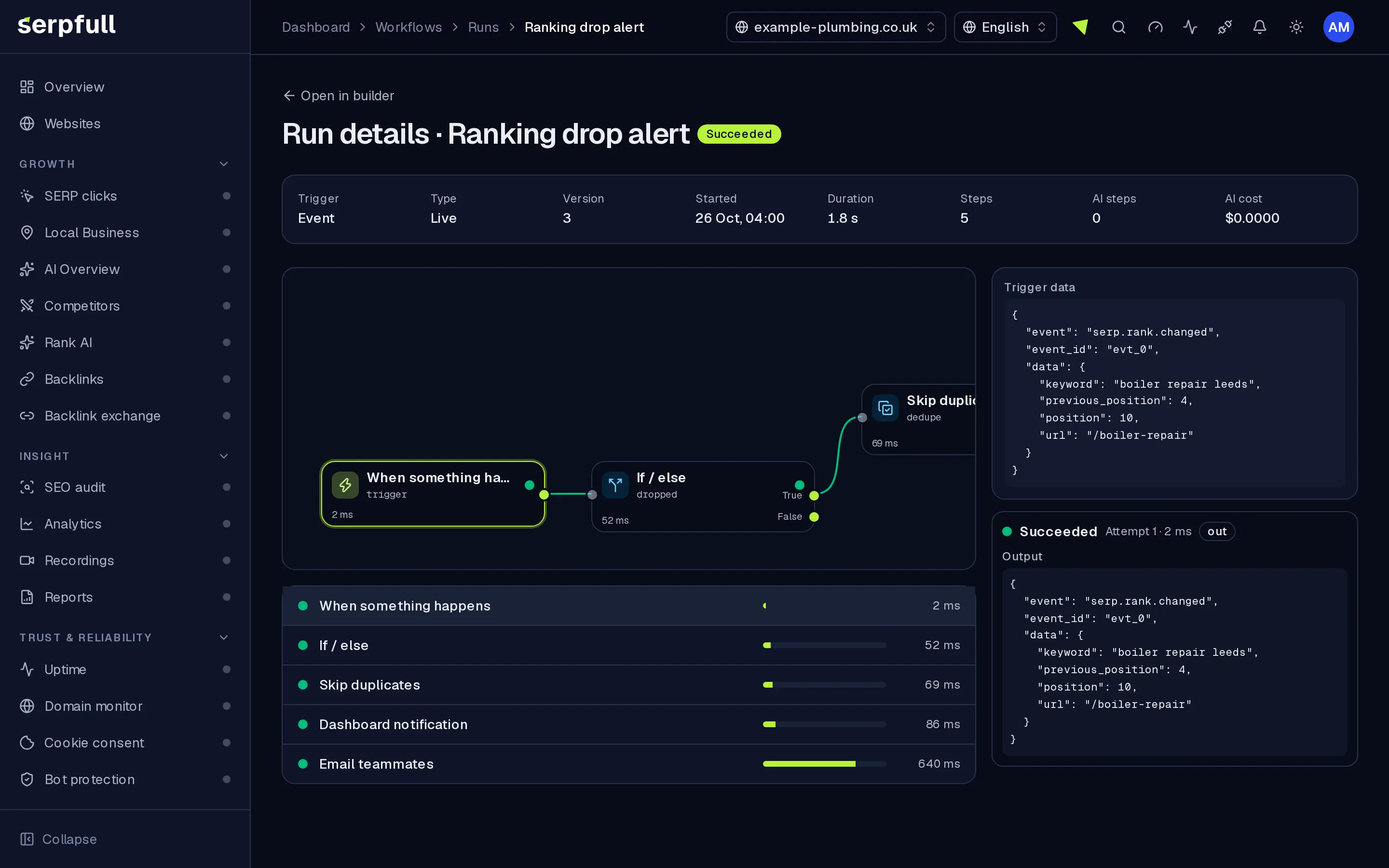
Screens from our demo workspace, showing sample data.
- 01
Pick a trigger
A schedule, any Serpfull event, a signed webhook, an API call or a manual run.
- 02
Add logic and actions
Drag steps onto the canvas and connect them: conditions, loops, approvals, AI steps and actions in your modules.
- 03
Test with sample data
Run it as a dry test and inspect every step’s input, output and timing before anything changes.
- 04
Publish and watch runs
Publish a version, switch it on and follow each run in the history. Roll back at any time.
Features
Inside Workflows
Visual canvas
Drag, connect and arrange steps with zoom, minimap, undo, copy and paste, keyboard shortcuts and one-click tidy layout.
Triggers from every module
Schedules with time zones, every Serpfull event, signed incoming webhooks, API calls and manual runs.
Logic you can read
Conditions, switches, filters, loops, delays, merges, variables, dedupe, throttle, sub-workflows and approvals.
Actions in your modules
Add, pause or resume search terms, change daily clicks, run SEO audits and uptime checks, create page reviews and send reports.
Drafts, versions and rollback
Edit a draft safely, publish with a note and roll back to any earlier version in one click.
Test runs and a run inspector
Try a workflow with sample data, then open any run to see each step’s input, output, timing and error.
Reliable by design
Retries with backoff, error paths, timeouts, concurrency and rate limits, and steps that are not repeated when a run resumes.
Roles and audit log
Choose who can edit and who can publish. Every edit, publish, rollback and approval is recorded.
Guidad rundtur
En guidad tur visar dig runt Workflows
I instrumentpanelen, klicka på trollstavsikonen i sidhuvudet och välj Workflows-turen, eller välj "Guidad tur på denna sida". Den markerar varje del av sidan och förklarar vad den gör, steg för steg.
Hur guidade turer fungerarUse cases
Who uses Workflows
Plan limits
Workflows on each plan
Limits apply per website. Every plan includes Workflows.
| Limit | Starter | Growth | Scale | Pro | Enterprise |
|---|---|---|---|---|---|
| Workflows per website | 3 | 10 | 25 | 100 | 500 |
| Workflow runs per website per month | 1 000 | 5 000 | 25 000 | 150 000 | 500 000 |
| Steps per run | 25 | 50 | 100 | 200 | 500 |
| AI steps per website per month | 50 | 200 | 1 000 | 5 000 | 20 000 |
| Workflow emails per website per month | 200 | 1 000 | 5 000 | 25 000 | 100 000 |
| Runs at the same time | 1 | 2 | 5 | 10 | 25 |
Questions
Workflows FAQ
What can start a workflow?
A schedule (with a time zone), any Serpfull event such as a ranking change, an uptime incident or a finished SEO audit, a signed incoming webhook, an API call, a manual run, or another workflow.
Can a workflow change things without me checking?
Only if you build it that way. Add an approval step and the run waits until an owner or admin approves or rejects it in the dashboard. Test runs can also be dry, so actions are simulated.
How are secrets kept safe?
API keys and chat webhook URLs are stored encrypted, never shown again after saving and never written to run logs. Outgoing requests are blocked from reaching private networks.
How much can I run?
Each plan includes a number of workflows, runs a month, steps per run and AI steps per website. Usage is shown at the top of the Workflows page, and runs pause rather than overspend when a limit is reached.
What does the AI step do?
It summarises, classifies or writes short text from the data you pass it, such as positions or audit results. It has a monthly cost cap per plan, and the run log shows what it used.
Automate the next step
Workflows is included on every plan. Start from a template or a blank canvas.