Know when the AI answer box cites your site, and where.
Add the questions your customers search. Each run searches in a real browser, finds the AI Overview, expands it to read every source and records whether your site is cited, where, and who else is. When you’re cited, the run clicks your link and browses your site.
In short
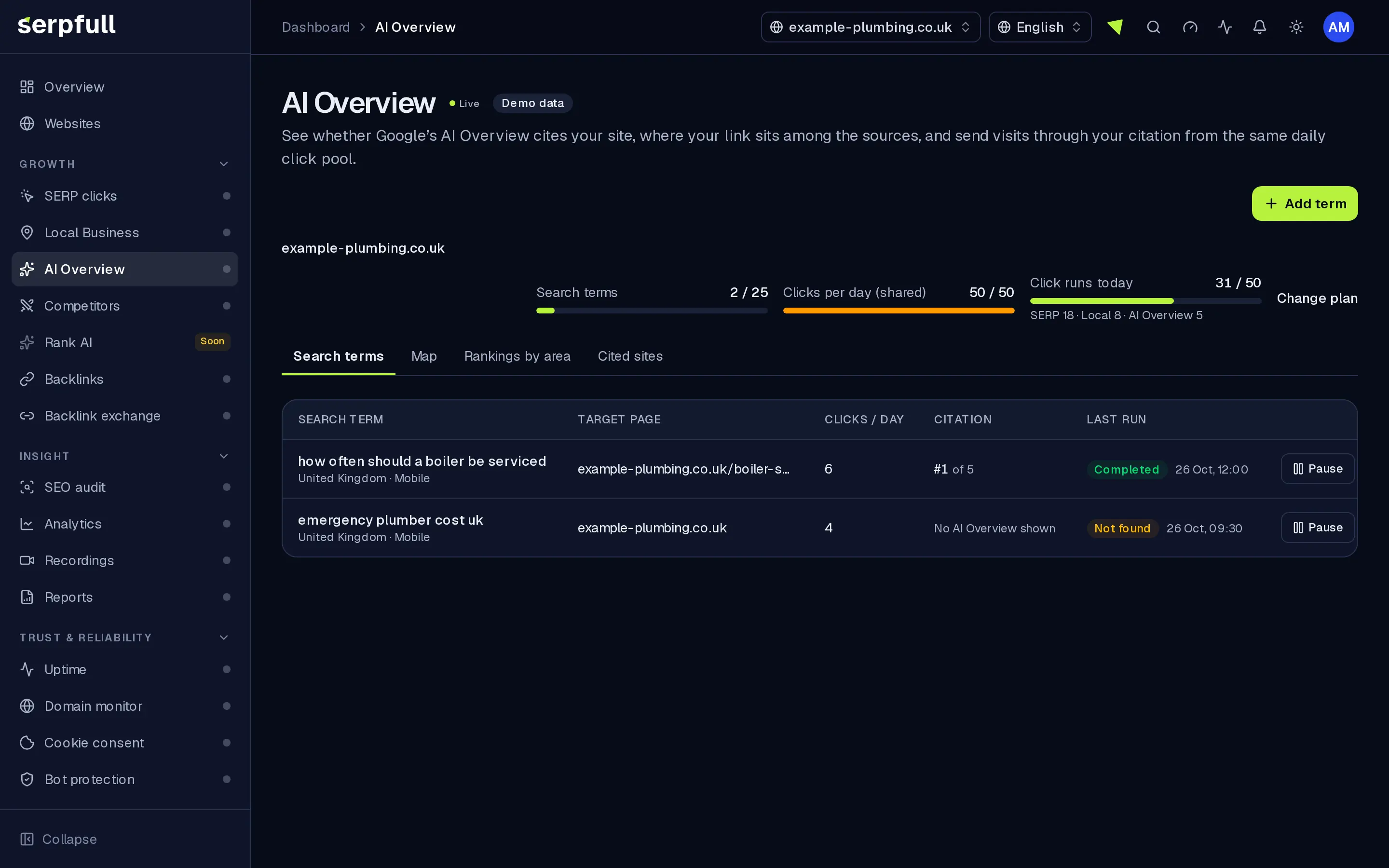
AI Overview runs real Google searches for your terms, detects the AI Overview, opens the full answer when it's collapsed and reads its cited links. Each run records whether your site was cited, your position among the sources, the total number of sources and the other domains cited. When you're cited, the run clicks your citation and browses your site with your dwell settings. If no overview appears or you aren't cited, the run says which, and runs come from your website's shared daily click pool.
Why AI Overview
How it works
From setup to results, step by step
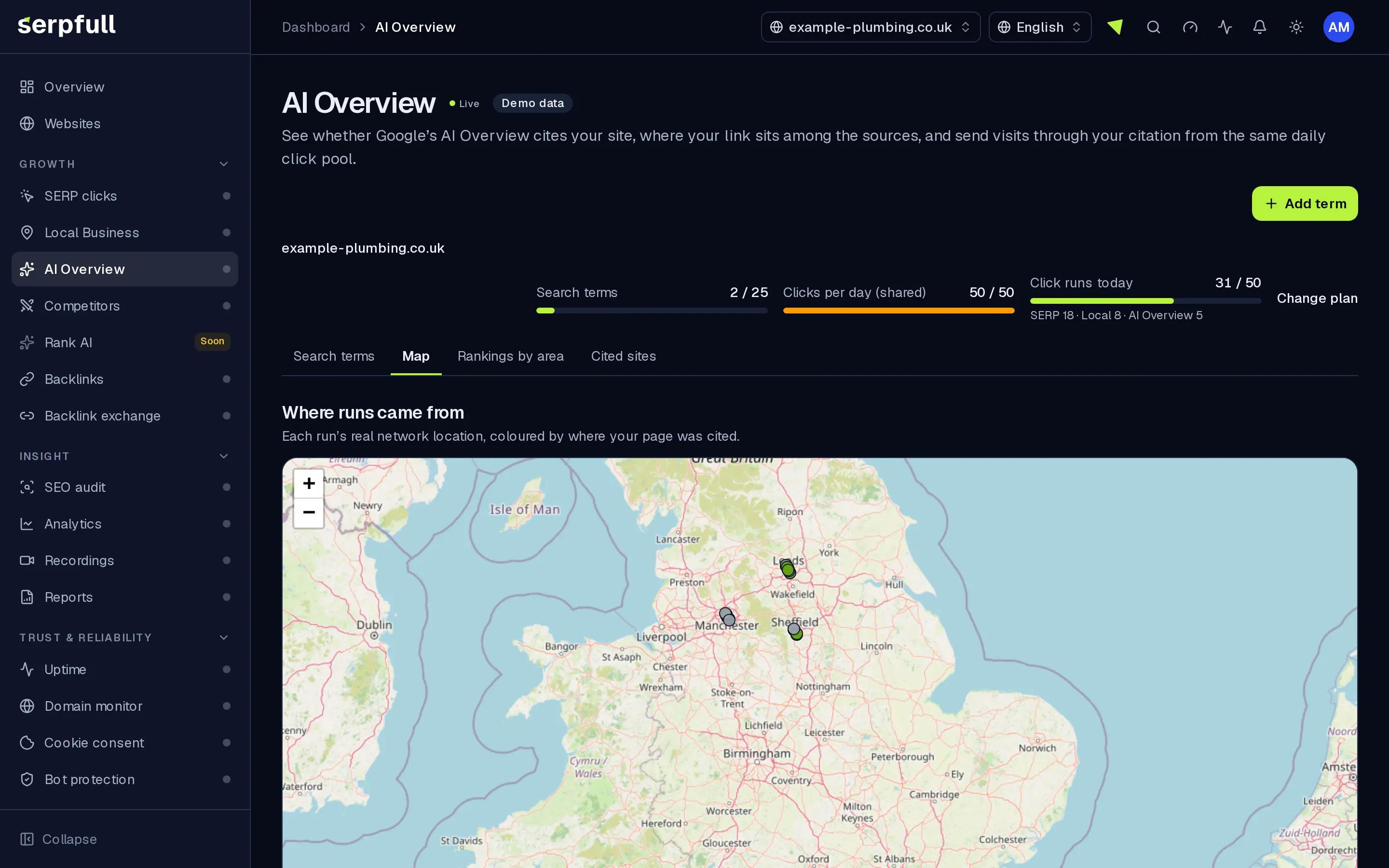
Screens from our demo workspace, showing sample data.
- 01
Add a question or term
Enter what your customers search and, if you like, the page you want cited. Leave it blank to match any page on your site.
- 02
We read the AI Overview
A real browser searches, finds the AI Overview, expands it if it’s collapsed and reads every cited link. Nothing is changed.
- 03
We record your citation
Cited or not, your position among the sources, how many sources there were and which other domains were cited.
- 04
We click through and visit
When you’re cited, the run clicks your link and browses your site with your dwell settings.
Features
Inside AI Overview
Cited or not, every run
A clear yes or no, plus whether an AI Overview was shown at all for that search.
Your position among sources
Where your link sits among the cited sources and how many sources there were.
Other cited sites
The domains cited next to you, ranked by how often they appear across your terms.
Target a page or any page
Set a target page so a citation of that page is what counts, or leave it blank and any page on your site counts.
Visits through your citation
When you’re cited, the run clicks your link and browses your site like a visitor would.
One shared click pool
AI Overview, Local Business and SERP clicks share your website’s daily clicks, with a per-module breakdown in plan usage.
Runs on a map
Each run is plotted at the approximate location of the network it really used and grouped into areas with your average position.
Auto-pause and alerts
A term pauses after 3 runs in a row without a citation, and you’re notified if your website shows visitors a verification check.
Use cases
Who uses AI Overview
Plan limits
AI Overview on each plan
Limits apply per website. Every plan includes AI Overview.
| Limit | Starter | Growth | Scale | Pro | Enterprise |
|---|---|---|---|---|---|
| AI Overview terms | 10 | 25 | 75 | 250 | Custom |
| Clicks per day (shared pool) | 10 | 25 | 50 | 100 | 200 |
| Longest dwell time (seconds) | 60 | 60 | 120 | 180 | 240 |
| Pages per visit | 3 | 3 | 3 | 4 | 5 |
Questions
AI Overview FAQ
What counts as a run?
Each finished run uses one click from your website’s daily pool, whether or not you’re cited, including runs that reach a verification check on your site. Blocked or timed-out runs are logged and don’t count.
What if there’s no AI Overview?
The run is logged as not found with the reason “no AI Overview shown”, separate from “not cited”, so you can tell the two apart.
When does a term pause?
After 3 runs in a row without a citation, the term pauses automatically and you get a notification. Resume it whenever you like.
Do you change what the AI Overview says?
No. We read it: we expand the answer to see every source, record the citations and click yours if it’s there.
Can I target a specific page?
Yes. Set a target page and a citation of that page is what counts. Leave it blank and any page on your site counts.
Is the pool shared with SERP clicks?
Yes. SERP clicks, Local Business and AI Overview share one daily pool per website, with a per-module breakdown in plan usage. AI Overview has its own limit on terms.
Is it included in my plan?
Yes. AI Overview is included on every plan at no extra charge and uses the same daily clicks as SERP clicks.
Find out if AI answers quote you.
Add the questions your customers ask and see your citations, your position among sources and who else is cited.